
What the Bad Bunny Halftime Show can teach us about our content
One of the coolest things about Bad Bunny’s historic halftime show was seeing how many people loved it, even if Spanish isn’t their first language.
Experiences like that really make you wonder….

There is so much material out there — from music to movies to social media content — that we could love and learn from, but we don’t even know exists.
Not because we choose not to, but because language barriers prevent us from connecting in the first place.
This is a huge missed opportunity for viewers and creators.
When content is good, audiences are willing to lean in. The missing link has been accessibility.
There are entire communities of creators making incredible videos in Spanish, Portuguese, Hindi, and so many other languages.
That’s where Instagram’s new Translations feature comes in.
Instagram’s new Meta AI Translations for Reels
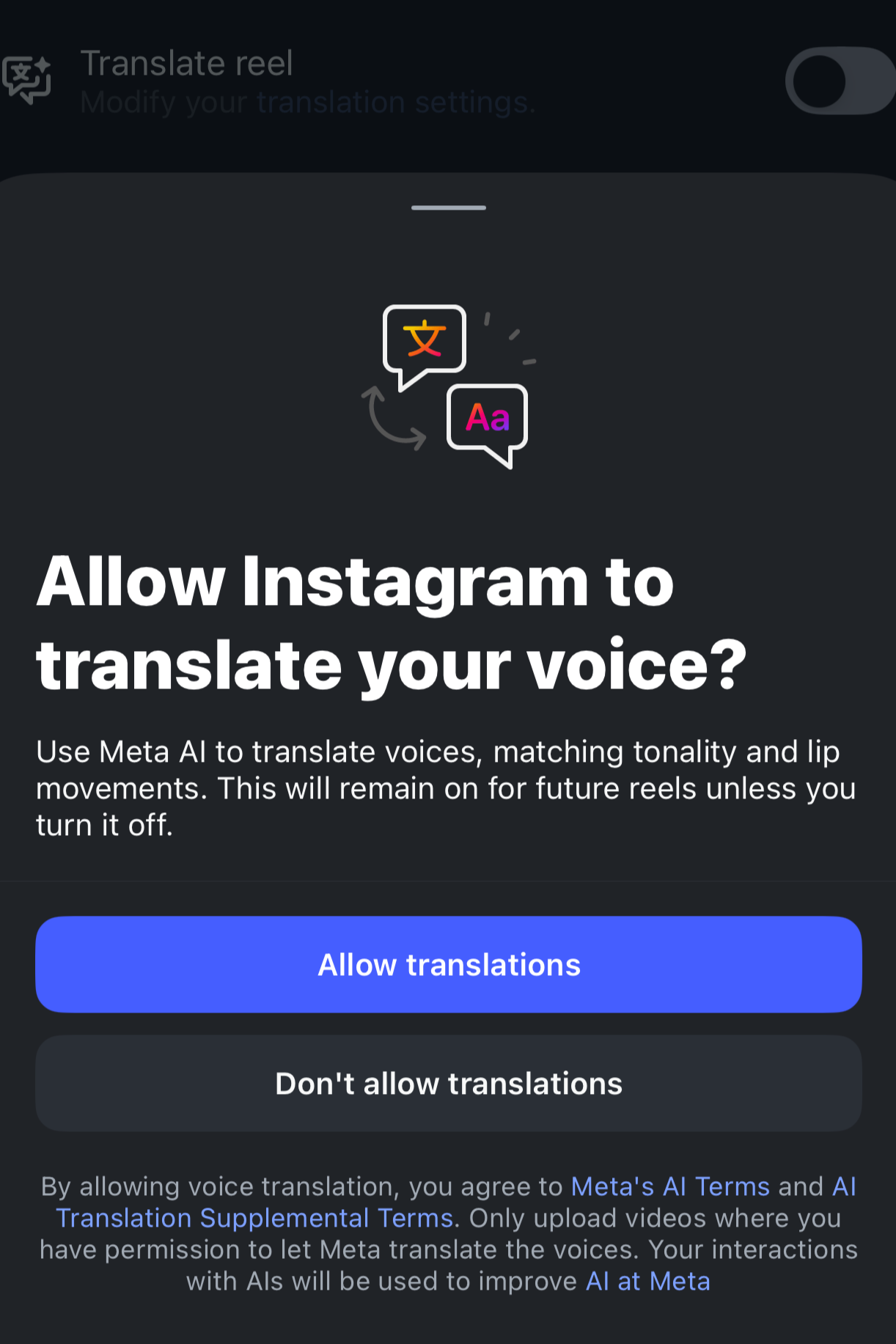
Meta has been expanding a feature that lets creators translate their Reels using Meta AI. The goal is to make Reels feel native to viewers in other languages by:
Dubbing your Reel into another language
Making the dubbed audio sound like you (voice-preserving translation)
Optionally lip-syncing your mouth movements to match the translated audio
Viewers will typically see a label indicating the Reel was translated with Meta AI, and may have options to switch back to the original audio depending on their settings.
Why this matters for your content
If you make strong content (especially educational content, storytelling, tutorials, humor, or commentary), AI dubbing can remove the friction that stops someone from watching, understanding, and following.
This doesn’t mean you’re changing your niche or trying to become a “global creator.” You’re simply letting your best content travel farther.
How it works (creator side)
When you’re about to publish a Reel, you can toggle on a setting like “Translate voices with Meta AI.” From there, you can choose translation settings such as enabling lip syncing and managing which translations are approved.
Depending on the rollout in your account or country, available languages may vary.
How to set it up on Instagram (step-by-step)
Note: this feature is rolling out, so if you don’t see these exact options yet, it may simply not be available on your account.
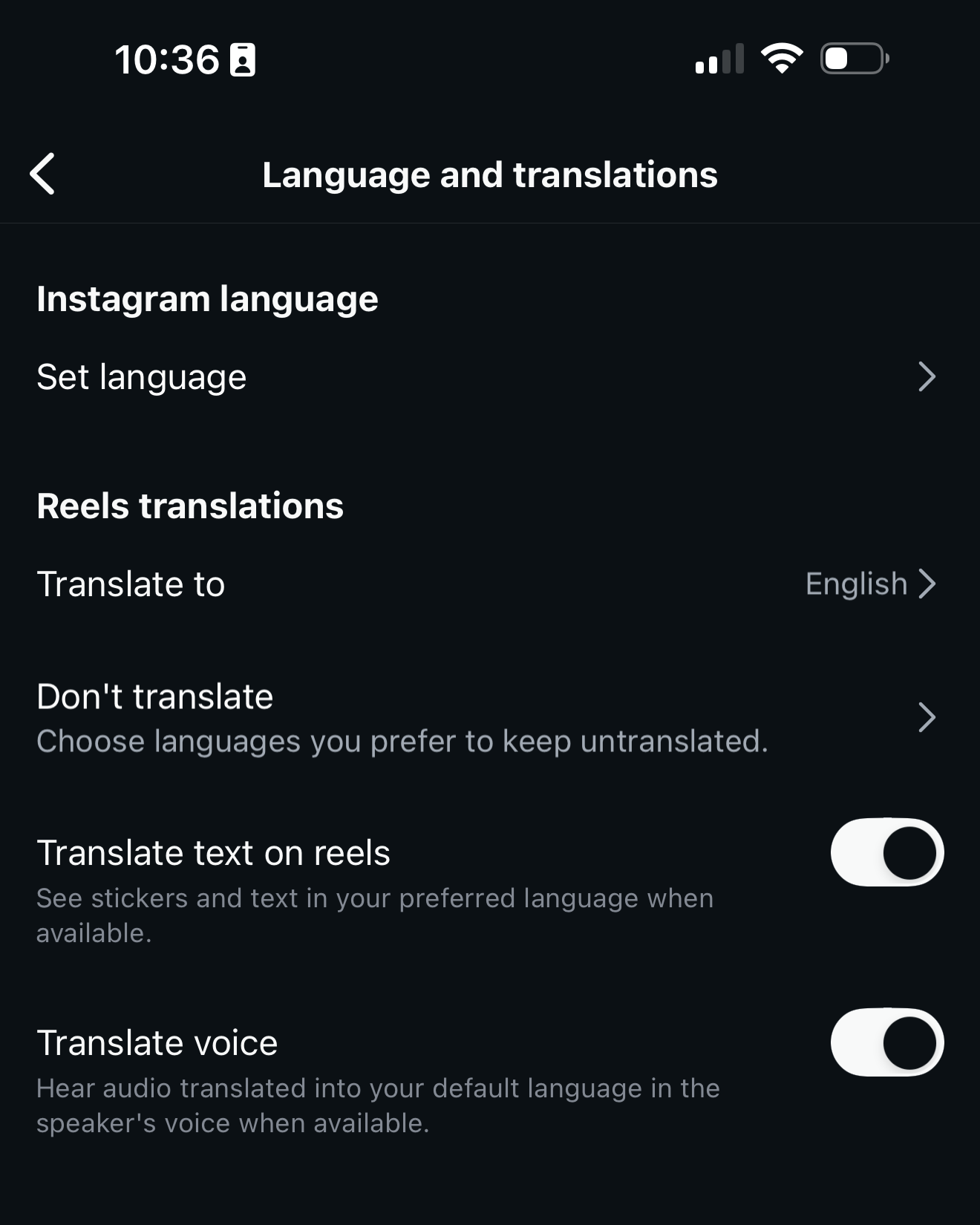
Update Instagram to the latest version. New features often require the newest app build.
On your screen right before publishing a Reel, look for the translation toggle. Turn on “Translate voices with Meta AI” (wording may vary).
Open Translation settings. Enable lip syncing and manage or approve translations.
Publish. Once enabled, Instagram can generate dubbed versions for viewers in supported languages.
A quick tip for better results: Because lip-syncing is visual, Reels with clear face visibility and minimal fast head turns tend to look more natural than videos where your mouth is covered, you’re far from the camera, or you’re moving rapidly (like walking-and-talking with constant motion).
The takeaway from Bad Bunny
The halftime show wasn’t successful because everyone understood every lyric.
It was successful because it was strong content with cultural impact, and people were willing to lean in.
Instagram’s new dubbing + lip-sync translation feature is basically the platform saying: let’s help more people lean in.
If your content is good, don’t let language be the thing that keeps it from reaching the people who would genuinely love it.
